(optional till module, hidden until you switch it on):
Switch on: Settings → POS section → «Returnable gas cylinders (empty / full)». A Gas cylinders screen appears in the menu.
Mark the item: Gas cylinders → Add a cylinder item → pick the gas item (its price = the exchange price), then set the deposit and the new-cylinder price (cylinder + gas).
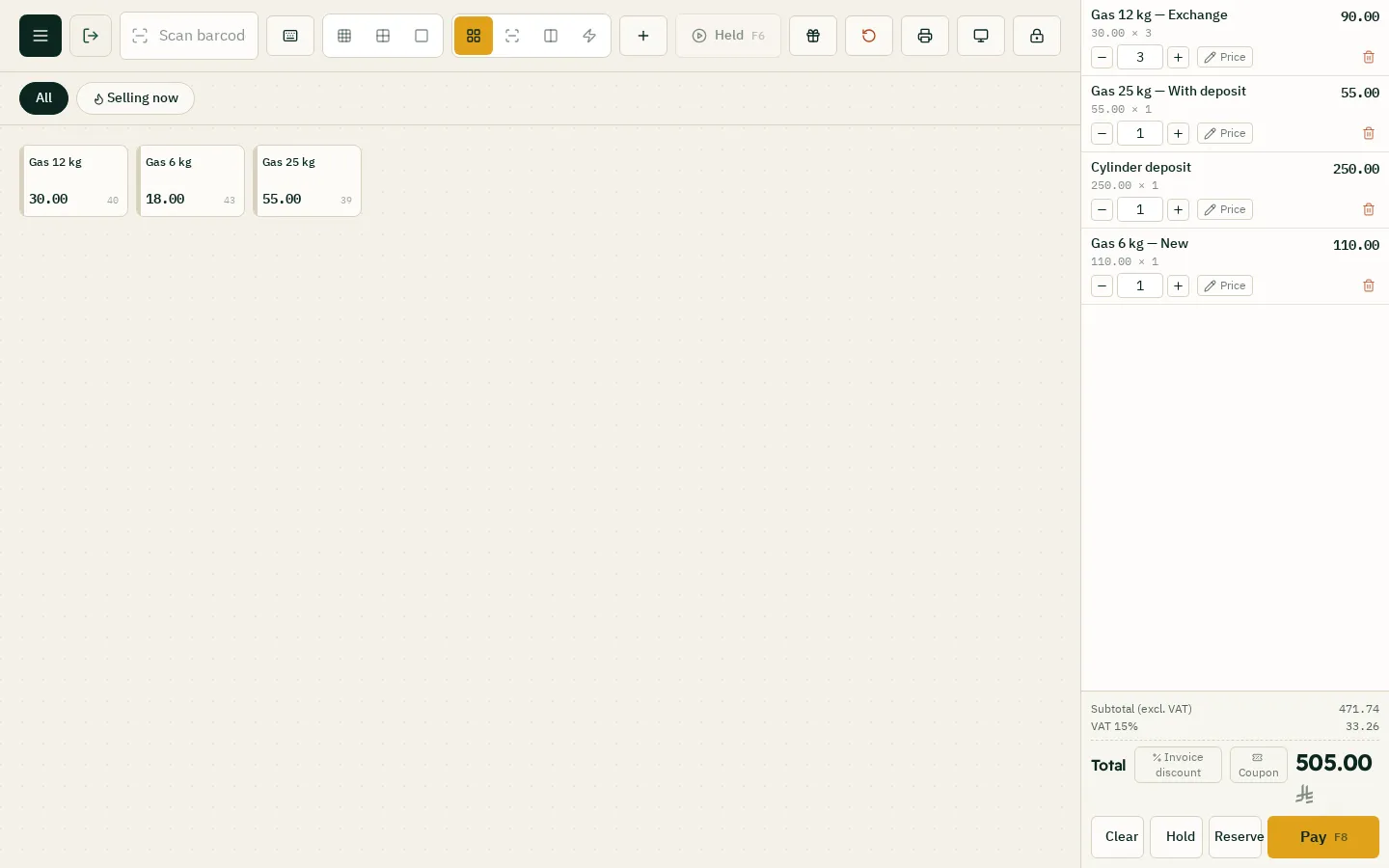
Selling: touching the item at the till asks: Exchange (empty for full, with the empties received), New cylinder with gas, or Gas + cylinder deposit. Pick the customer in the payment window (required with a deposit) so what they keep is recorded.
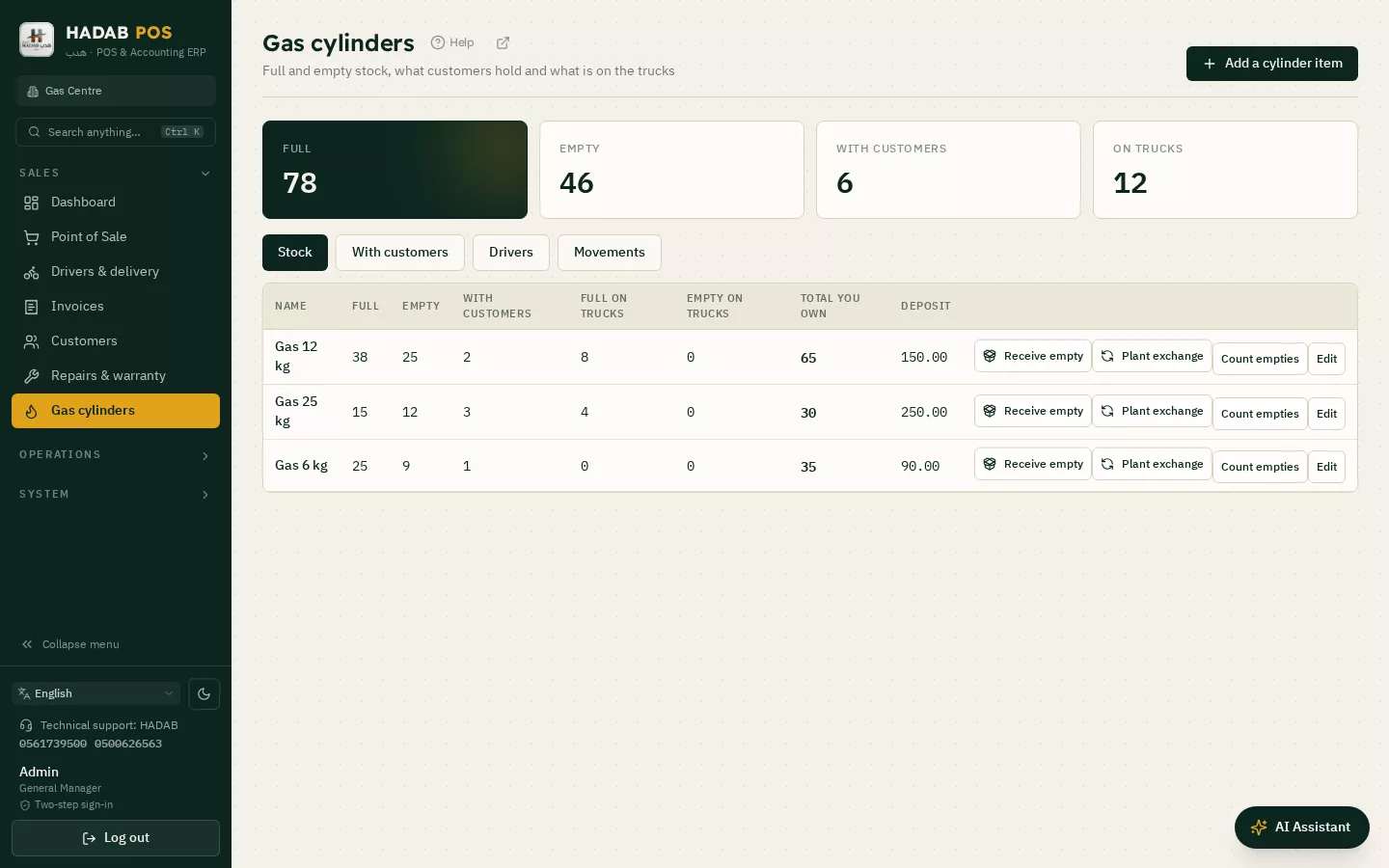
Stock: per size: full, empty, with customers, on trucks and the total you own. «Count empties» fixes the real number.
With customers: who holds how many since when, with the deposit held. Receive empty brings it back and pays the deposit out of the till when needed.
Drivers: «Load truck»: the driver's sales come off the load (to sell from the truck choose «Delivery», then the driver, in the payment window), and Settle driver at day end with the full and empty cylinders brought back.
Plant exchange: empties sent out, full ones in (the gas itself is bought on a purchase invoice).
Accounting: the deposit is a liability (account «Customer deposits»), not sales. Returning the deposit invoice from the Returns screen puts the cylinder and deposit back.
Steps
Switch the module on: Settings → POS section → «Returnable gas cylinders (empty / full)».
In the Gas cylinders screen press «Add a cylinder item» and set the deposit and the new-cylinder price.
At the till touch the item and choose Exchange, New cylinder with gas, or Gas + deposit, and pick the customer on the sale.
Follow the stock (full, empty, with customers, on trucks) and fix it with «Count empties».
When a cylinder comes back press «Receive empty»; the deposit is paid out of the till when needed.
The till selling gas: exchange a cylinder or sell a new oneThe Gas cylinders screen: stock and cylinders with customers
Questions about Returnable gas cylinders: exchange, deposit and stock
Where is the gas cylinders screen?
The module is hidden until you switch it on in Settings → POS section → «Returnable gas cylinders (empty / full)». Then a «Gas cylinders» screen appears in the menu.
What does the till ask when I sell gas?
Touching the item asks: Exchange (an empty for a full one), New cylinder with gas, or Gas + cylinder deposit.
Is the deposit counted as sales?
No. The deposit is a liability of the shop (the account «Customer deposits»). Returning the deposit invoice from the Returns screen puts the cylinder and the deposit back.