HADABPOS Free trial
New add-on for HADAB Restaurant — 115 SAR a year

QR table ordering: guests order from their phone, the order reaches the kitchen

Every table has its own QR code. Guests scan it with the phone camera, with no app to download, see your menu with photos and prices, and send their order. The cashier hears an alert and approves with one press, the kitchen ticket prints right away, and the guest follows the order on the phone until it arrives.

Windows — version 1.0.114 — 130 MB
  • No app for the guest
  • One-press approval
  • No commission per order
  • Free during the trial
HADAB POS › QR table ordering for restaurants & cafés
For the guest

From the phone camera to the kitchen

A QR code on every table

The guest scans it with the phone camera, with no app to download.

  • Each table has its own QR code, and printable table cards come from Settings
  • Opens your menu with photos, sizes, options and prices
  • In Arabic or English
  • The guest picks items, adds a note such as "no sugar" and sends the order

The guest follows the order

On the same page on the phone, without calling the waiter.

  • Live status: received → approved → preparing → ready → served → paid
  • If the cashier declines the order, the guest sees the reason
  • A second order from the same table joins the table's open bill
  • Payment at the cashier as usual: cash, card or mada
At the cashier and the kitchen

The order comes in like any table order

One-press approval

The cashier hears an alert as soon as the order arrives.

  • A sound alert at the cashier for every new order
  • Approve with one press, or choose automatic approval
  • The kitchen ticket prints right away and the order shows on the kitchen screen
  • Works with the kitchen printers and screen you already have

Your prices and orders stay in your hands

The phone only sends the order; the restaurant decides.

  • Prices always come from your own menu; the phone cannot change them
  • Renew a table's QR code at any time if it is copied
  • Ordering closes automatically when the restaurant's system is closed
  • Limits against spam orders
  • The invoice is a normal ZATCA Phase 2 compliant invoice
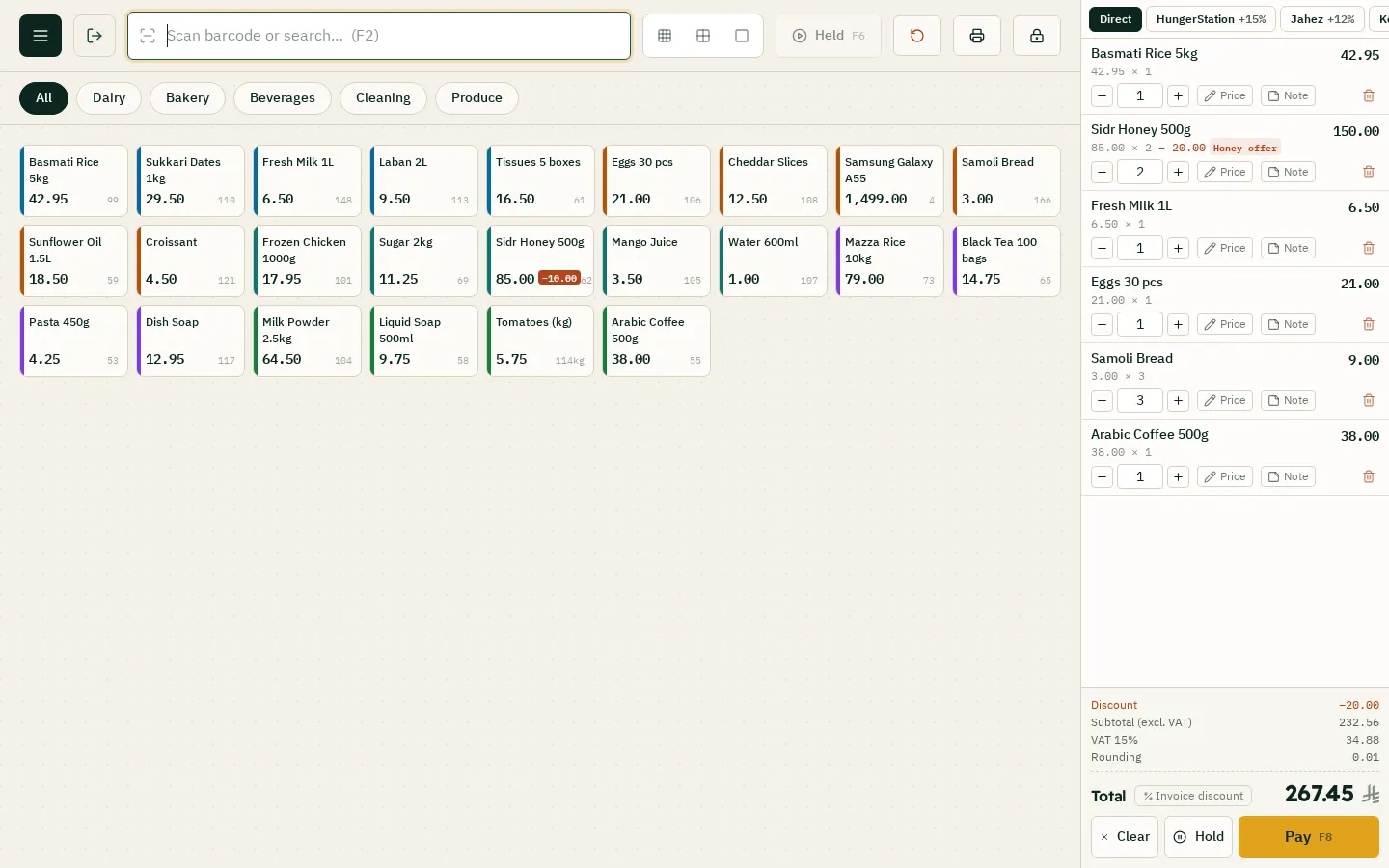
The restaurant sales screen: items by category and the cart
Benefits and price

What changes in your restaurant, and for how much

A faster floor and higher sales

Guests write their own order, so nothing is misheard.

  • Fewer waiter trips and fewer order errors
  • Faster table turnover: guests order as soon as they sit
  • Higher average order: photos sell desserts and drinks
  • No missed orders at rush time
  • No commission per order, unlike delivery apps

Price and activation

An add-on for HADAB Restaurant.

ZATCA compliantPhase 2: every invoice is signed and sent to ZATCA automatically with a QR code.
Works offlineSelling never stops, and invoices are sent when the connection is back.
Your data stays with youOn your computer in the shop, with a daily backup to your email.
Saudi supportWe help you install and link over WhatsApp.
Pricing

How much does it cost?

All prices include VAT, with a fully featured 14-day free trial.

POS plan

1,500 SAR

For the first year, then 575 SAR a year. The till, e-invoicing, stock, purchases, customers and reports.

Accounting plan

3,000 SAR

For the first year, then 575 SAR a year. Everything above plus full accounting, payroll, zakat and financial statements.

Plan details and extra devices

FAQ

Questions about QR table ordering for restaurants & cafés

Does the guest need to download an app?

No. The guest scans the table QR code with the phone camera and the menu opens straight away, in Arabic or English.

How much does QR table ordering cost?

115 SAR a year, VAT included, as an add-on for HADAB Restaurant. It is free to try during the free trial.

How do I turn it on?

From the dashboard or the subscription screen in the program, with one press. It works immediately for a year, and you can pay the invoice within 14 days.

Does the guest pay from the phone?

No. Payment stays at the cashier as usual (cash, card or mada), and the invoice is a normal ZATCA Phase 2 compliant invoice.

Can someone change the prices or send fake orders?

Prices always come from the restaurant's menu and the phone cannot change them. The cashier approves each order (unless you choose automatic approval), there are limits against spam orders, you can renew a table's QR code if it is copied, and ordering closes automatically when the restaurant's system is closed.

Does it work with my kitchen printer and kitchen screen?

Yes. Once the order is approved, the kitchen ticket prints right away and the order shows on the kitchen screen, using the printers and screen you already have.

What if the same table orders again?

The second order joins the table's open bill, and the table pays the whole bill at the cashier.

HADAB for every business

More pages

Ready to start?

Message us on WhatsApp and we will help you install and link with Fatoora.

+966 56 173 9500  ·  +966 50 062 6563

WhatsApp Free trial